Read and organise
Understand the request, collect contact information and decide which service could help.
 adeptiveSOLUTIONSLet’s talk
A working demonstration of enquiry capture, requirement extraction, reply preparation and lead tracking in one dashboard.
Open demo dashboard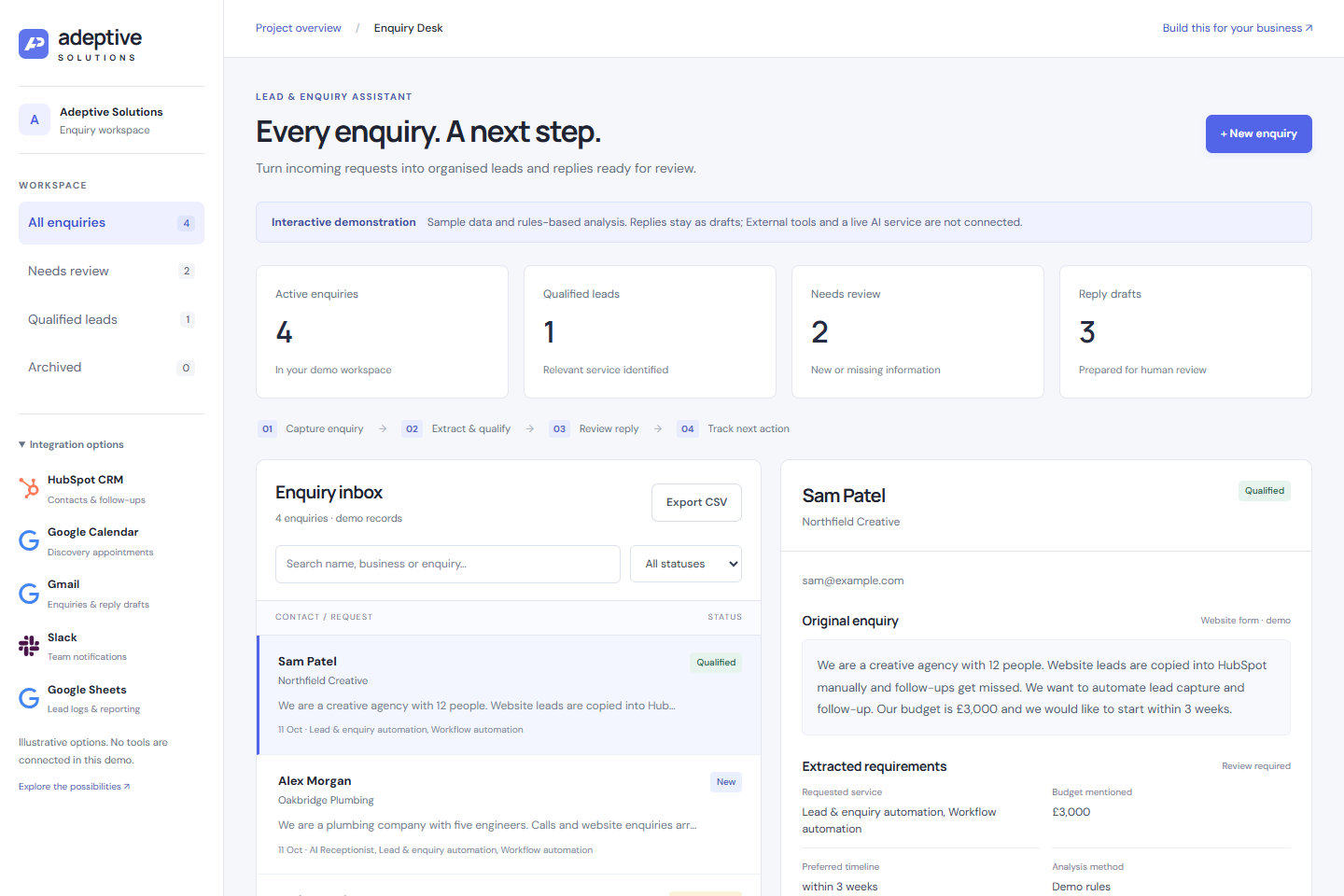
A new business opportunity often creates a string of small tasks before anyone can respond.
Understand the request, collect contact information and decide which service could help.
Find out whether the budget, timing and requirements are clear enough to move forward.
Prepare a useful response, update the lead record and keep the next action visible.
Select a part of the workflow to explore what the demonstration does.
Choose a sample or enter a fictional enquiry. The dashboard stores the original message alongside the contact and business details.
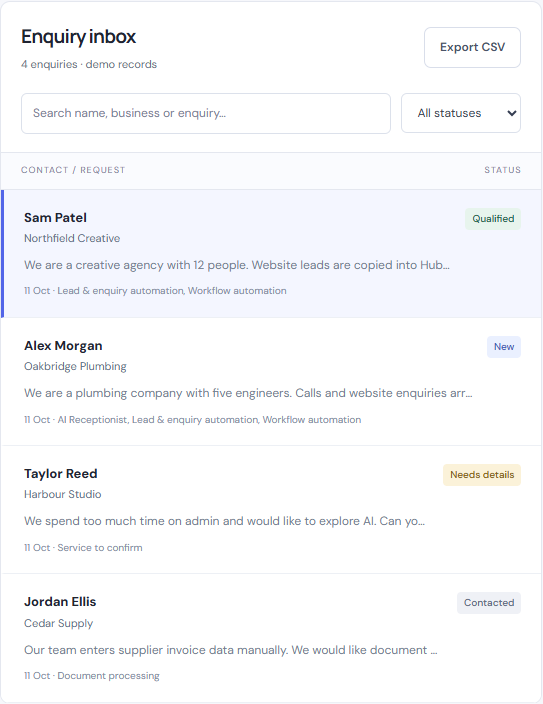
A useful workflow recognises when it has enough information and when it needs to ask another question.
Northfield Creative
Fictional sample businessReview the requirements and arrange a discovery conversation. Qualification is provisional until a person confirms fit.
These examples use the same rules-based analysis as the dashboard. A person reviews the result and decides whether the opportunity is a fit.
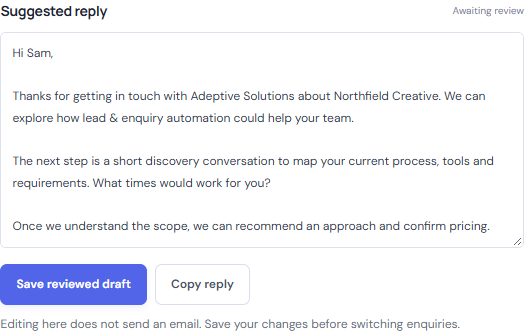
The suggested reply acknowledges the request and asks for missing information, or proposes a discovery conversation.
In the dashboard, visitors can edit the wording, save a reviewed draft and copy it. The lead’s status can then be updated separately.
There is no automatic sending. Reviewing the requirements and reply is part of the workflow.
Enquiry handling can extend into the tools your team already uses. Explore how each could fit into a tailored implementation.
 HubSpot CRMContacts & follow-ups
Create or update contacts, attach an enquiry summary and organise follow-up tasks.
 GmailEnquiries & reply drafts
Bring email enquiries into the workflow and prepare replies for a team member to review.
Google SheetsLead logs & reportingRecord lead details in a shared spreadsheet for reporting or a lightweight enquiry pipeline.
Google CalendarDiscovery appointmentsCheck available times and create a discovery appointment once the customer agrees.
 SlackTeam notifications
Notify the right team member when a lead needs attention, with its summary and suggested next action.
These are integration possibilities, illustrated for this portfolio project. The demo does not access accounts, create bookings, send messages or sync external data.
This project demonstrates a business workflow through a working interface. It is separate from our client case studies.
Start with built-in examples or add a fictional request of your own.
Search records, filter by status, archive leads and export the current view to CSV.
Edit drafts and save your changes in the current browser.
We can map your process and tailor enquiry handling to your business, team and tools.